Petal Fan Templates: From Blank Canvas to Crafted Masterpiece
There's a particular kind of frustration that hits when you're staring at a blank screen, a brilliant idea for a DIY project bubbling in your mind, but the tools just aren't there. You have the vision—a delicate, layered petal fan for a baby shower, a bold graphic element for a brand mood board, a custom stencil for a tote bag—but translating that into a usable design file feels like a mountain to climb. That's where a resource like the Petal Fan Canva & SVG Cut Templates collection changes the game. It's not just a download; it's a direct bridge from your imagination to a tangible, customizable project.
More Than Just a Pretty Shape
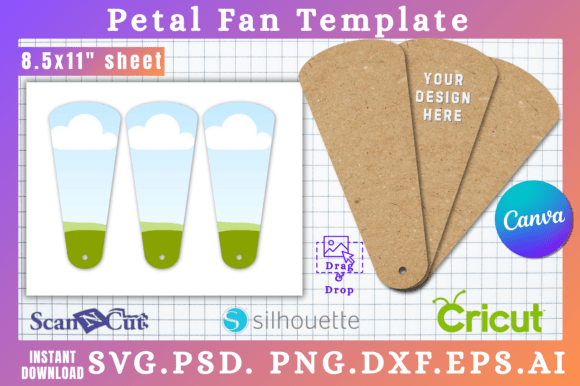
At first glance, you're getting a set of beautifully designed petal fan shapes. But the real value lies in the versatility baked into the six file formats. This is the difference between a single-use asset and a foundational design asset for your toolkit. The SVG file is a powerhouse for crafters using Cricut or Silhouette machines, ensuring crisp, scalable cuts every single time. For those who live in Adobe's ecosystem, the PSD file offers familiar layer-based editing. The PNG with its transparent background is a lifesaver for quick compositions in any web design or social media graphics project, eliminating the tedious task of masking.
Then there's the Canva link, which might be the most significant for a huge segment of modern creators. The ability to drag, drop, and edit directly within Canva—on a free account, no less—democratizes the design process. It means a small business owner crafting their own packaging design, a blogger creating a header image, or a parent making party decorations can achieve a polished, professional look without a steep learning curve or expensive software. This isn't about replacing skill; it's about providing a robust starting point that respects your time and existing workflow.
Practical Applications for Real Projects
So, where do these templates actually shine? Think beyond the obvious party decoration (though they're perfect for that). In brand identity, a petal fan motif can become a subtle, elegant pattern for business cards, letterheads, or website backgrounds, adding a touch of organic sophistication. For editorial design, consider using a stylized petal fan as a chapter opener, a sidebar graphic, or a recurring visual element in a magazine layout to create thematic cohesion.
For the entrepreneur, these templates are a secret weapon for packaging design. Imagine a custom soap wrapper, a candle label, or a boutique gift box featuring a layered petal fan graphic. It instantly communicates care and craftsmanship. In digital marketing, the shapes can be used to create eye-catching frames for quotes, product highlights in Instagram Stories, or unique icons for an infographic. The key is to see the templates not as finished products, but as high-quality creative font—or in this case, shape—modules you can color, resize, combine, and overlay to build something entirely new.
Integrating with Your Design Workflow
Adopting a new asset into your process requires a bit of strategy. First, consider the project's personality. The Petal Fan templates have a inherent style—elegant, organic, and slightly playful. They're a natural fit for brands and projects in the wellness, beauty, floral, event planning, or artisanal food spaces. For a more corporate or tech-focused brand, you might use them more abstractly, as a texture or a deconstructed background element.
Next, think about font pairing. The visual weight and style of the petal fan graphic will influence your typography choices. A delicate, single-layer fan might pair well with a clean sans serif font for modern contrast, or with a flowing script font for a romantic feel. A bold, multi-layered fan could balance nicely with a strong serif font or a sturdy display font. Always test your combinations. Place your chosen font next to the graphic in your layout. Does the hierarchy feel right? Does one element overpower the other, or do they work in harmony?
Finally, respect the licensing. The "pay once, access forever" model for both personal and commercial use is a huge advantage for small businesses and freelancers. It means you can confidently use your final designs on products you sell, in client work, or across your marketing channels without recurring fees. Just ensure you're using the templates as part of a larger, original design—not simply reselling the raw files themselves.
The true power of a resource like the Petal Fan Canva & SVG Cut Templates lies in its ability to eliminate friction. It hands you a professionally crafted component, ready to be molded. It respects the fact that you might be a marketer first and a graphic designer second, or a crafter with a vision but limited technical skills. By providing multiple pathways into the design—whether through Canva's drag-and-drop simplicity or the precision of an SVG file—it meets you where you are. The blank canvas is still yours to fill, but now you have a stunning, versatile element to start with, turning "I wish I could make that" into "I just made that." It’s a practical tool for the modern creative, built for real projects and real deadlines.